Avoid Bounces, Protect Your Number, and Connect with Intention
Sending text messages (SMS) is one of the fastest and most effective ways to connect with your contacts. But there’s something important that often gets overlooked: how you send messages matters just as much as what you send.
If you’re using My IDX.Marketing to manage your campaigns, this guide will help you do it safely, efficiently, and without risking the reputation of your number.
Mobile carriers (like AT&T, T-Mobile, etc.) in the U.S. and Canada have very strict rules to prevent spam and protect users. When misuse is detected, three things can happen:
These issues don’t just impact your campaigns — they also affect how prospects and clients perceive your brand.
Here’s what we recommend at IDX to keep your messages flowing smoothly and your results on track:
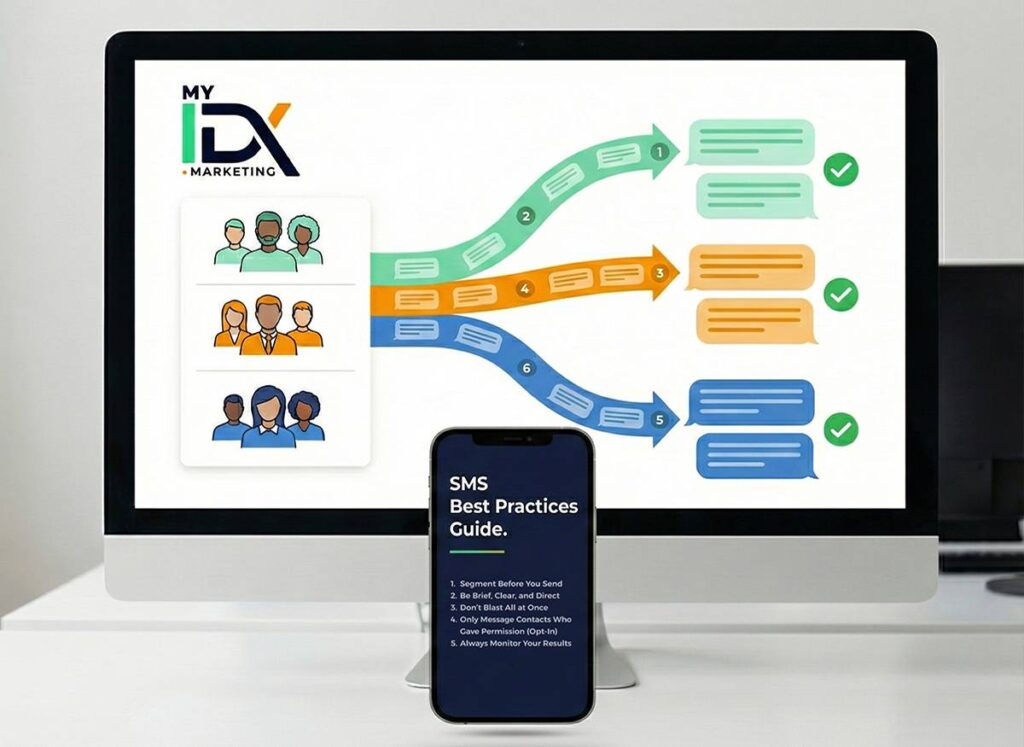
Not every contact needs the same message.
Use your CRM filters to group people based on interests, location, behavior, or funnel stage.
More relevance = more replies and fewer bounces.
SMS is a fast channel. Avoid long or confusing texts.
Include a clear call to action, such as a link, reply button, or appointment option.
Sending hundreds of messages at the same time can flag your number as suspicious.
Inside My IDX.Marketing, you can use the batch sending option in workflows to spread messages out smartly throughout the day.
You must have clear consent before sending text messages. It’s a legal requirement — and it helps your results, too.
You can easily collect consent through forms, landing pages, or automation flows.
After each campaign, go to the Conversations module or your Automations to check for errors, bounces, or low response rates.
This helps you adjust quickly and improve future messages.
Plus, the SMS Reports Dashboard gives you a clear overview of performance.
Following these best practices isn’t just about compliance — it’s the smartest way to protect your brand, ensure message delivery, and get real results from your SMS campaigns.
With My IDX.Marketing, you already have the tools: segmentation, automation, reporting, and full control.
You just need to use them with intention.